Welcome to your 'go-to' for practical resources, created especially for federations and WIs who want to get the most out of social media. Whether you’re taking your first steps online or building on what you already do, you’ll find plenty of helpful guidance, links and ideas to support your digital journey.
From guidance on using social media responsibly, to good-practice tips for boosting visibility and engagement, everything you need is right here. You’ll also find clear explanations of common social media terms and tools, alongside practical advice on using platforms like Facebook and Instagram to connect with your audience and share what makes your WI special.
Explore the sections below to feel more confident online, strengthen your online community presence, and celebrate everything your WI has to offer — one post at a time.
To help your WI run smoothly, especially during committee changes, it’s important to take a shared approach to managing digital accounts such as email and social media. Putting a clear legacy structure in place helps avoid disruption, supports smooth handovers, and protects the security and integrity of your WI’s online presence.

Curiosity drives learning, but when time is tight, it helps to know where to find clear, reliable info as you explore social media.
Social media can be a powerful communication tool for charities, to raise awareness and funds and to better engage beneficiaries. It can help charities reach a much wider audience, much more quickly, than traditional methods of communication. The Charity Commission provides in-depth advice on how to apply social media to your charity.
Charities and social media - GOV.UK
Use this page to read the NCVO's key highlights of the Charity Commission's guidance for charities on using social media, which may help trustees and sector leaders to use social media effectively in their vital work.
At Canva, we believe that communication and design are critical when taking action to solve the most pressing issues of our time. To empower changemakers to achieve their goals, we offer non-profits free access to all the premium features of Canva Pro.
Justifying the cost of software is a challenge in any organisation, especially in the charity sector. Discounted or even free software is available to charities, but that isn’t always made clear by software vendors.
Charity Digital provide a great list of useful software packages that your charity can get for a huge discount, or even receive free.
Charity Digital - Topics - The best free or discounted software packages for charities
A social media glossary is a simple, helpful guide that explains common terms and phrases you’ll come across when using social media. It’s designed to build confidence and understanding, making it easier to navigate different platforms, create content with purpose, and understand how your posts are performing. By breaking down unfamiliar language, the glossary helps you feel more informed, in control and comfortable engaging online.
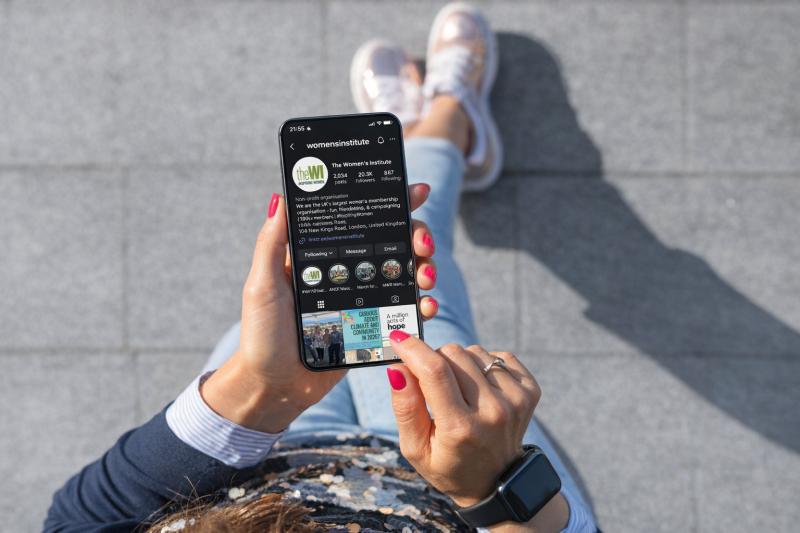
Using Facebook and Instagram is a great way for WIs to showcase what they’re all about. These platforms help you reach potential new members by sharing updates, events, and photos that highlight the fun, friendship, and activities your WI offers. They’re also a brilliant way to keep current members informed and engaged, while building a stronger sense of community both online and offline.
Help Center (Instagram)
The NFWI’s social media policies, code of conduct, and general guidance are in place to help WIs use social media confidently, responsibly, and in line with WI values. They outline best practice for both official and personal use, ensuring posts are respectful, inclusive, and represent the organisation positively. Whether you’re running a WI page or posting as a member, these resources offer clear advice to help you navigate social media safely and effectively. This information can be located in MyWI under Publicising Your WI – Resources & Guidance.